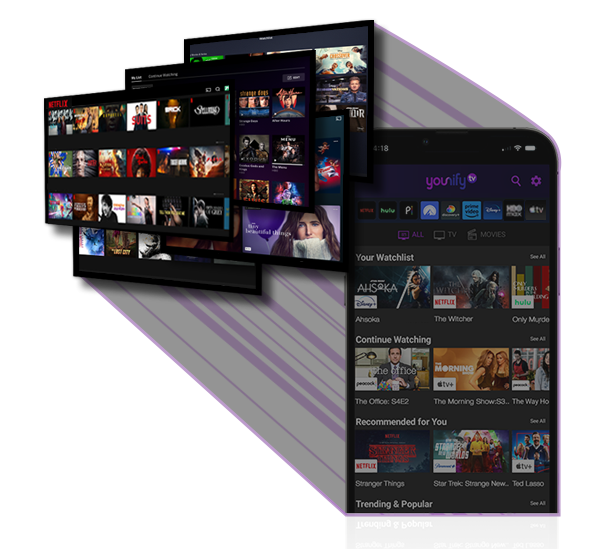
Younify Connect lets users securely link their streaming services to your app. Retrieve normalized watch history, cross-service watchlists, ratings, and viewing patterns -- and eliminate the cold start from day one.
// YOUNIFY CONNECT SDK · OVERVIEW
Every streaming app runs into the same problem: new users arrive with years of viewing history, but your product starts with none of it. That makes personalization harder, weakens recommendations, and leaves users with a generic experience until they spend enough time in your app.
Younify Connect solves that by letting users link services like Netflix, Hulu, Max, and others -- so your app can immediately access normalized watch history, watchlists, ratings, and continue-watching queues across 14+ services.
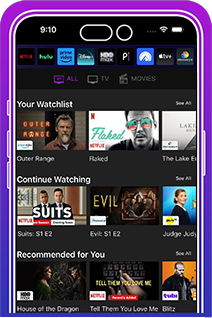
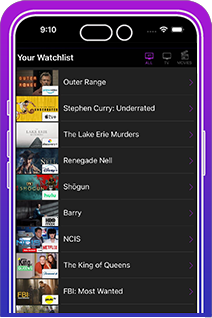
Pull merged watchlists and continue watching queues from every connected service into a single unified view. No more asking users to re-enter what they've already watched.
Offer better recommendations and eliminate guesswork. Use actual recommendations from providers -- already personalized for each user -- to surface content that's relevant from the very first session.
Match users based on overlapping watch history and taste profiles -- no survey, no onboarding questions. The streaming user data does the work before your UI renders.
Feed your LLM or recommendation engine with thousands of normalized viewing events per user -- titles, ratings, genres, and timestamps -- sourced directly via the streaming personalization SDK.
Every streaming service handles authentication differently -- MFA flows, CAPTCHA, session tokens, credential validation. Younify Connect abstracts all of it. You drop in the SDK, we handle every service. Your app gets clean, normalized data.

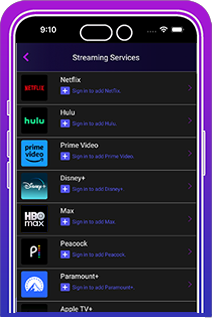
Your user chooses which streaming accounts to connect -- Netflix, Hulu, Max, and more -- directly inside your app's UI.

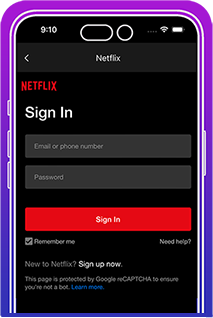
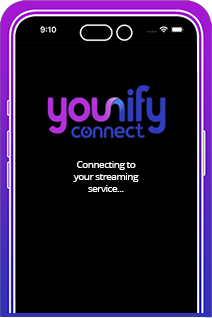
The streaming SDK authenticates each service automatically, including MFA, CAPTCHA, and session management. Zero custom code on your end.

Younify fetches watchlists, watch histories, ratings, and recommendations -- normalized to a consistent schema across all 14+ services.

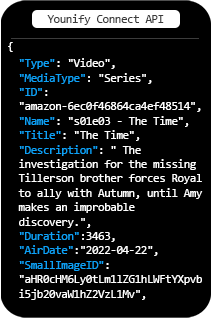
Your app receives structured streaming user data -- titles, content IDs, TMDB references, ratings, and activity timestamps -- ready to query immediately.

The Younify Connect API returns data. What you build with it -- dashboards, feeds, recommendations, social features -- is entirely up to you.

With real watch history in hand from the first session, your streaming personalization API can deliver meaningful recommendations before a single in-app event is logged.
Uses the watch history API to power Queue Wrapped -- automatically surfacing users' full cross-service binge history.
Feeds streaming user data into AI chatbot "Ava" to deliver personalized recommendations from day one.
Built the first streaming scrobbler for VIP users using the cross-service watchlist API.
Eliminates cold start with real Netflix watch history, powering an AI companion that knows your taste instantly.
Uses streaming personalization API to recommend content based on verified cross-service watch history.
Download the sample API response to explore the schema and see just what the watch history API response looks like for a single connected user—normalized rows covering content IDs, TMDB references and timestamps across 8 services.
| StreamingService | Profile | DateTime | ContentType | Series | Title | Season | Ep. | Duration | % Watched | SeriesID | MovieID |
|---|